DataDustrTools
Technical architecture case study in production software
Overview
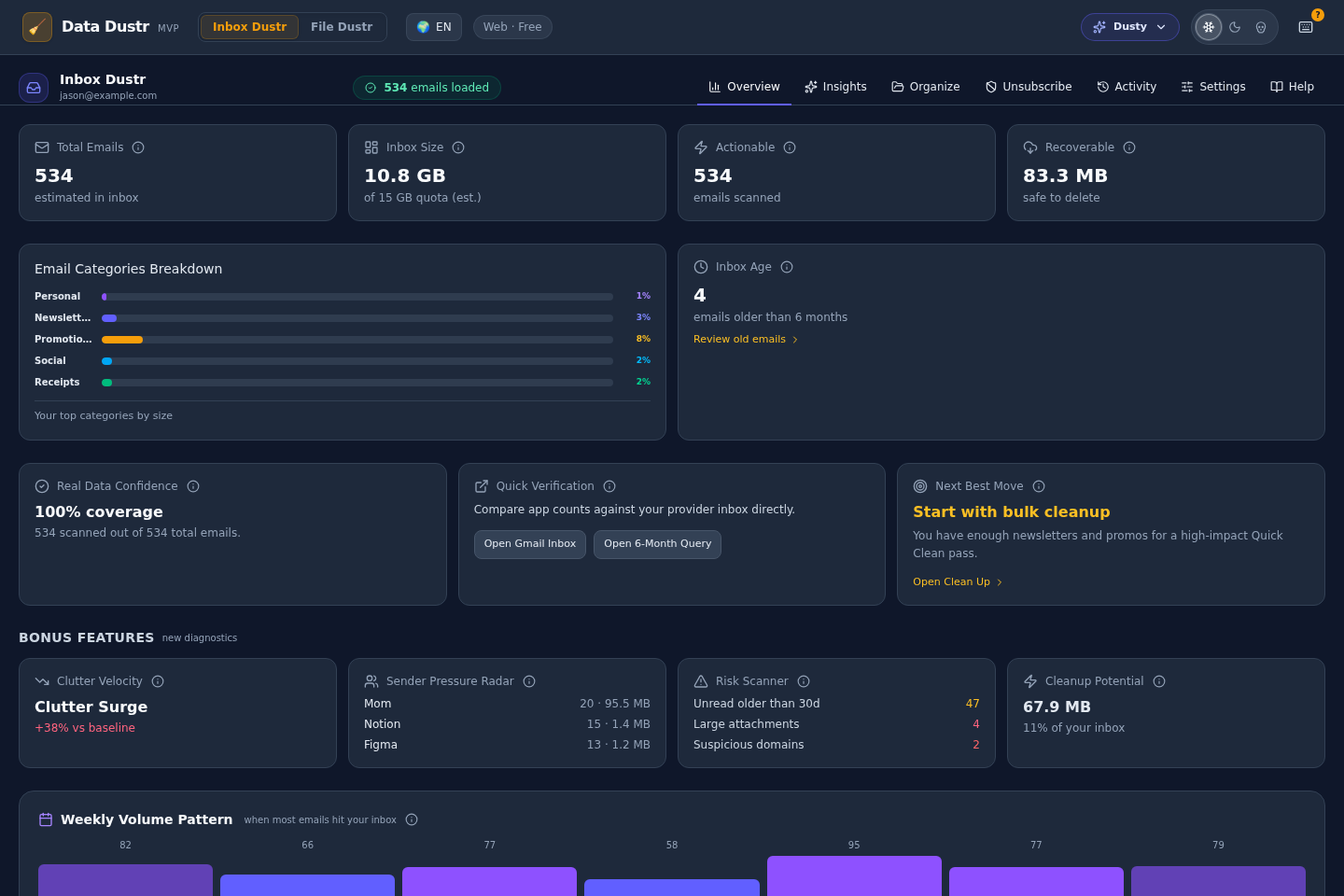
DataDustrTools is the product application under the DataDustr brand. It packages the architecture explored in DataDustr into a working tool for email and file cleanup. This case study focuses on technical decisions, tradeoffs, and how the code evolved through real usage.
Live project
tools.datadustr.comSource repository
github.com/JsonTyler/data-dustr-toolsWhat was built
Dual-module cleanup product: File Dustr + Inbox Dustr on web and desktop.
Key constraints
Large datasets, destructive operations, provider API limits, and cross-platform parity.
Outcome signal
Validated with a successful 30,000+ email cleanup in personal real-world usage.
Technical artifacts and implementation status
Technical artifacts
Implemented
- File Dustr with local filesystem workflows
- Inbox Dustr with Gmail integration
- Web demo and desktop runtime parity
In development
- Usability refinements from real personal usage
- Performance tuning for larger inboxes
- Cleanup rule quality improvements
Planned
- Outlook provider adapter
- Licensing and entitlement infrastructure
- Additional storage provider adapters
Architecture diagram
Clients
Web demo, desktop app
App core
Shared UI, state, module routing
Policy + adapters
Entitlements, Gmail API, filesystem access
Decision log
| Problem | Options considered | Chosen solution | Rejected alternatives | Why this won | Accepted tradeoffs | Result after implementation |
|---|---|---|---|---|---|---|
| Need both web demos and desktop real-data workflows without drift. | Separate clients or shared UI with adapters. | Shared UI/state layer with platform adapters. | Independent web and desktop UI stacks. | Reduced duplicated engineering work while preserving parity. | Adapter complexity and runtime branching. | 90% shared React surface and faster cross-platform release cadence. |
| Edition/tier rules risk becoming scattered and inconsistent. | Inline entitlement checks or centralized policy service. | Centralized policy layer. | Ad-hoc feature checks per component and module. | Improved testability and consistent behavior across modules. | Extra abstraction and policy maintenance overhead. | Single source of truth for feature access and licensing boundaries. |
| Need actionable cleanup recommendations while protecting user trust. | Full-content scanning, metadata heuristics, or mixed strategy. | Metadata-first heuristic analysis. | Deep content inspection as default path. | Balanced speed, privacy, and recommendation quality for real usage. | Lower semantic precision for niche edge cases. | Stable scanning pipelines and safe recommendation behavior at 30,000+ email validation scale. |
Product Architecture
Modular Feature Structure
The product is organized into two primary modules, each addressing a distinct user workflow:
File Dustr
Analyzes local file systems for duplicates, old files, and large files that consume space. Provides recommendations for cleanup with safe defaults: confirmation before deletion, undo capability, and preview of what will be removed.
Current implementation: Local filesystem access
Inbox Dustr
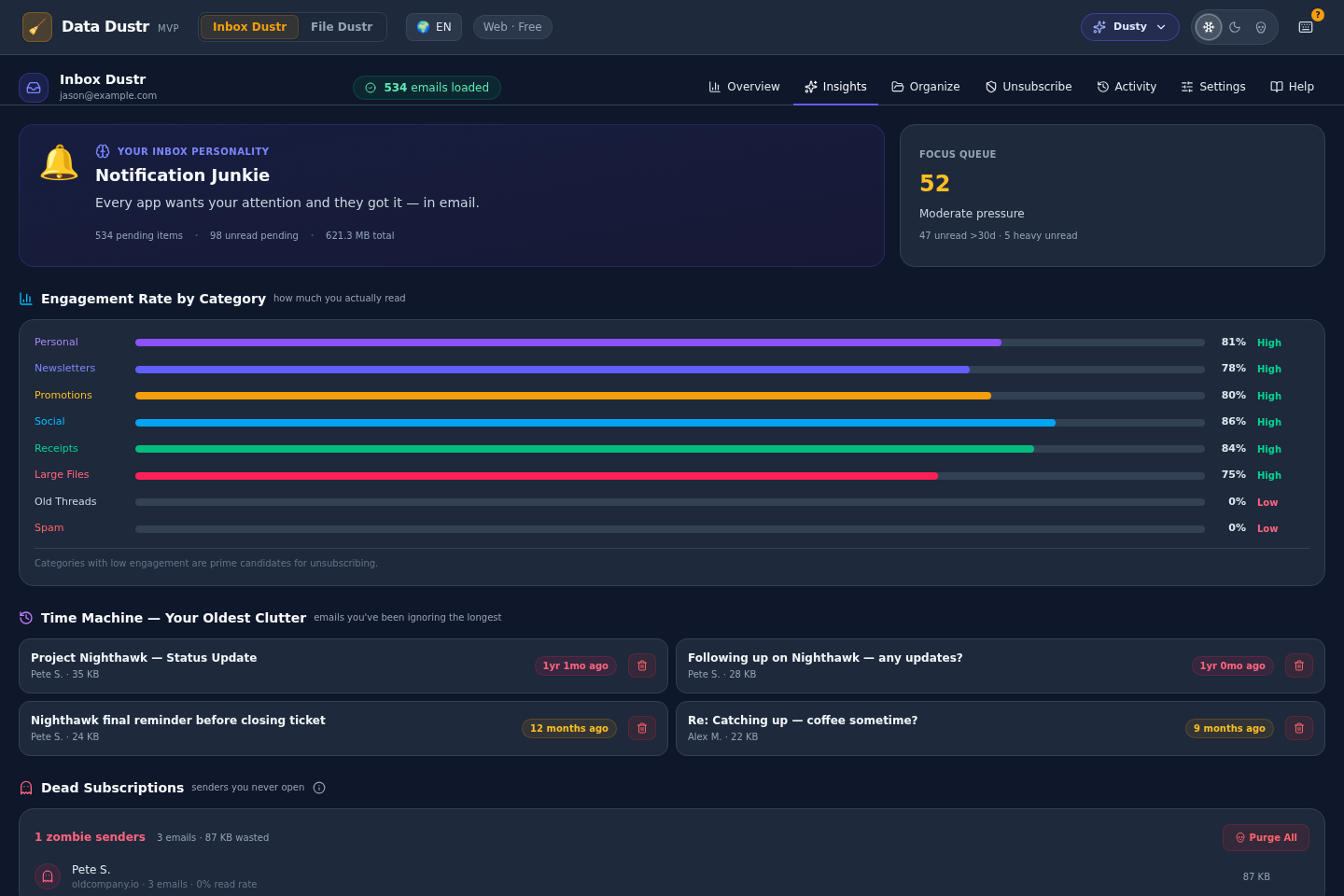
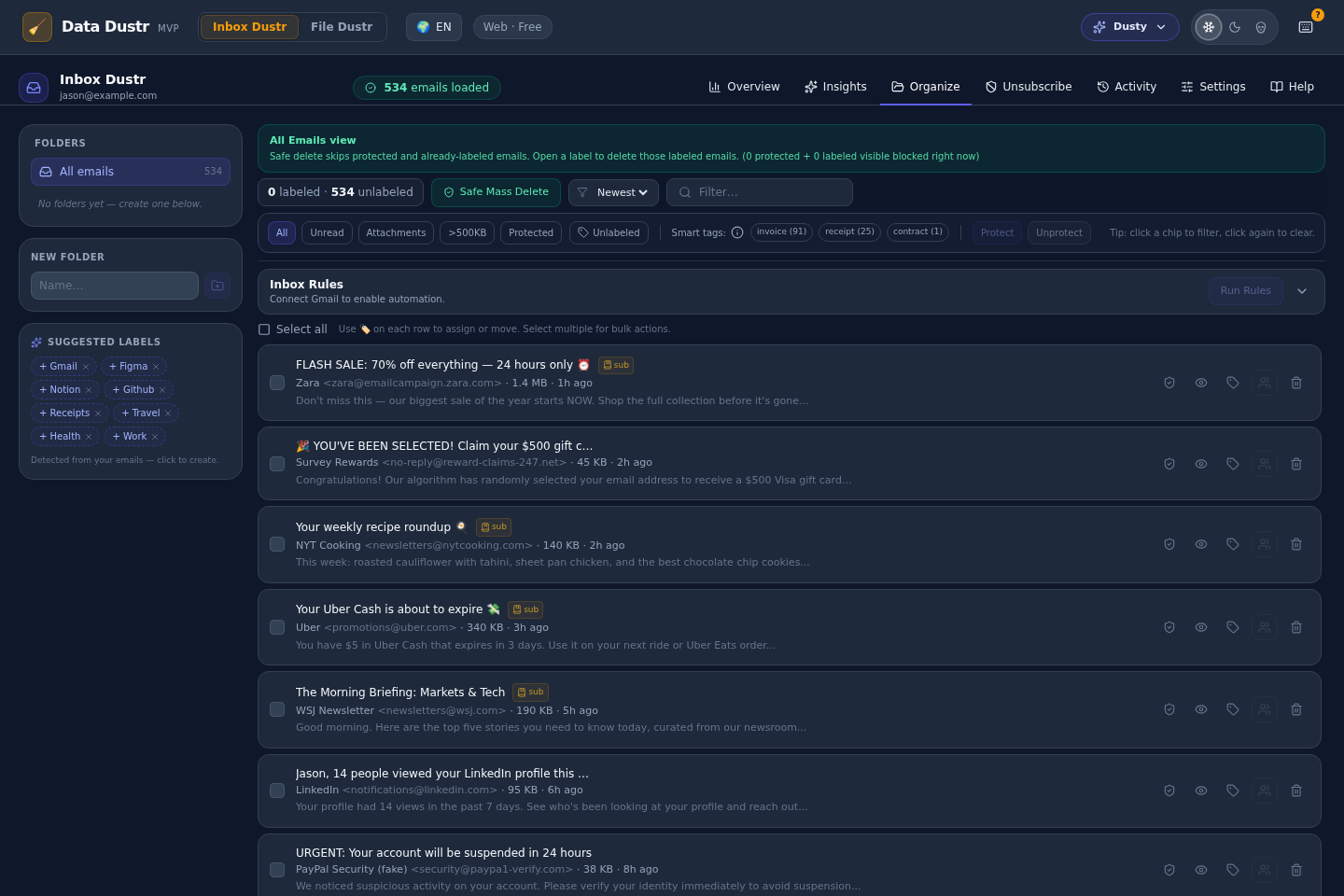
Analyzes email accounts (currently Gmail) for old messages, large emails, newsletters, and duplicates. Provides intelligent recommendations rather than simple rules. Built-in safety: multiple confirmation steps before any action.
Current implementation: Gmail integration
The Policy Layer: Centralized Business Logic
The key architectural decision was a centralized policy engine for feature availability and licensing behavior.
- Avoids scattered checks like tier/platform conditionals across UI modules
- Keeps entitlement logic testable and auditable in one location
- Lets UI ask policy questions instead of encoding business rules directly
// Example query pattern
const canBulkDelete = policy.canPerformAction(
'bulk-delete',
user.tier, // 'free' | 'pro' | 'enterprise'
platform // 'web' | 'desktop'
)
Pricing changes and feature expansions now update one policy surface instead of multiple UI branches.
Platform Adapters: Shared Code, Platform-Specific Behavior
The web and desktop applications share 90% of React code. Platform-specific capabilities are abstracted through adapters:
- File system adapter: Desktop uses native Tauri bindings; web uses a demo mode with synthetic data
- Email adapters: Gmail adapter for API integration; additional adapters for future providers
- Storage adapter: Desktop uses SQLite for local data; web uses browser storage or backend
- Authentication adapter: Desktop uses OAuth directly; web uses backend proxy for security
Search & Analysis: Intelligent Over Simplistic
The core challenge: provide meaningful cleanup recommendations, not just literal matching. Real-world analysis revealed the need for intelligent approaches:
- Fuzzy matching: Find similar files based on patterns, not exact names
- Temporal analysis: Identify emails older than threshold, with reduced relevance over time
- Metadata patterns: Newsletter detection, marketing email classification without reading content
- Size analysis: Find unusually large files and emails relative to user's typical data
- Frequency patterns: Identify rarely-accessed files and read-once emails
Technical Implementation
Technology Stack Rationale
- Next.js 16 + React 19 + TypeScript: typed full-stack surface and consistent delivery path for web + desktop shell.
- Tailwind CSS: enforce design-system consistency without bespoke CSS drift.
- Tauri: desktop runtime with smaller footprint than Electron for local-workflow use cases.
- SQLite: embedded local persistence for desktop sessions and high-volume item workflows.
- Gmail API + OAuth: secure provider integration with explicit permission boundaries.
Performance Optimization Approach
Performance became critical during real-world testing. Processing 30,000 emails revealed that naive approaches (load all data, analyze synchronously, render everything) would fail. Solutions implemented:
Pagination & Lazy Loading: Data loads in chunks (typically 50-100 items). Analysis happens incrementally. UI is responsive while background processing continues.
Virtual Scrolling: Only viewport-visible items render. This allows displaying lists of 100,000 items without memory bloat. Implementation uses React windowing libraries for efficiency.
Web Workers: Heavy analysis (duplicate detection, pattern matching, statistical analysis) runs on background threads. Main thread stays responsive for UI interactions.
Batch Operations: Instead of deleting items one-by-one through API calls, batch operations group changes. Reduces API overhead and improves user perception of responsiveness.
Caching & Memoization: Analysis results are cached. Re-running the same analysis multiple times uses cached results. This is critical for exploratory workflows where users might adjust filters multiple times.
Safety & Confidence Features
Deletion is irreversible in most systems. This creates user hesitation. The product builds confidence through:
- Preview before action: Users see exactly what will be deleted before confirming
- Confirmation dialogs: For destructive operations, require explicit user confirmation
- Undo capability: Desktop version supports local undo (revert deletions from current session)
- Safe defaults: Conservative suggestions by default; aggressive options available for power users
- Dry-run mode: Users can simulate cleanup without making changes
Real-World Validation & Learning
Processing 30,000 Emails: What I Learned
I used DataDustrTools to clean one of my personal Gmail accounts. This was not a theoretical exercise, it was real usage of the product at meaningful scale. Key discoveries:
1. Performance Optimization Was Non-Negotiable
The initial implementation would have taken 5+ minutes to load a 30,000-email account. After optimization (pagination, virtual scrolling, Web Workers), the same analysis completes in seconds. This was not a "nice-to-have", it was fundamental to usability.
2. Analysis Accuracy Matters Enormously
Bad recommendations destroy trust. If the system suggests deleting important emails, users abandon it. This forced improvements to the analysis algorithm to reduce false positives. Better to suggest fewer deletions (with high confidence) than many deletions (with low confidence).
3. Users Need Confidence in Destructive Operations
Deletions feel permanent (even when they are reversible). This led to preview, multiple confirmations, and undo support. These features added implementation complexity but were required for safe day-to-day use.
4. The Workflow Needs to Be Interruptible
Users don't want to sit through a 5-minute analysis without being able to do other things. The product now supports pausing analysis, switching between modules, and resuming later. This required state management changes but significantly improved usability.
5. Different Users Need Different Approaches
Some users want aggressive cleanup (delete anything old). Others want conservative suggestions (only obvious duplicates). Rather than building separate workflows, the product evolved to support different sensitivity levels and provides explanations for each suggestion.
What's Next: Scaling Beyond 30,000
I have another personal email account with 100,000+ emails that I plan to clean using this tool. This will stress-test the system at legitimate scale and likely reveal additional edge cases, performance bottlenecks, and usability improvements. Rather than guessing about scale, I'm validating through real usage.
Specific Technical Challenges
Challenge: Maintaining Feature Parity Across Platforms
Problem: Desktop and web have different capabilities. Desktop has direct file system access; web doesn't. How do we maintain feature parity without either crippling the web version or over-complicating the desktop version?
Solution: Tiered capabilities based on platform. Web offers File Dustr in demo mode with synthetic data. Desktop offers full functionality. Both offer Inbox Dustr identically. This allows users to explore and understand the product on web, then use the full power on desktop.
Lesson: Perfect feature parity is neither necessary nor desirable. Let each platform shine with its unique strengths while maintaining core functionality everywhere.
Challenge: Email Provider Integration Complexity
Problem: Gmail API is powerful but has quirks: rate limits, pagination tokens, metadata retrieval limits, and authentication complexity. Getting this right is critical, bugs here can corrupt user data or lose analysis results.
Solution:
- Adapter pattern abstracts provider-specific logic
- Comprehensive error handling for API failures
- Rate limit awareness with exponential backoff
- Pagination support for large result sets
- Tests with real Gmail API (not mocks)
Future: Outlook support is planned. The adapter architecture keeps adding new providers straightforward: implement the interface, handle provider-specific behavior, and validate.
What This Project Demonstrates
DataDustrTools showcases my engineering approach:
Architectural Thinking
Recognizing the need for a policy layer, platform adapters, and modular structure. These aren't necessary for a simple product but are essential for one that will scale and evolve.
Performance Discipline
Understanding that "it works on my test data" is not sufficient. Real datasets (30,000 emails) require real optimization thinking from day one, not bolted on later.
User-Centric Engineering
Features like preview, confirmation, and undo aren't technically required but are absolutely necessary for a product that modifies user data. Engineering includes thinking about user psychology and trust.
Cross-Platform Complexity
Managing shared code across web and desktop platforms requires careful abstraction. This is genuinely complex engineering, not simple UI work.
Real-World Validation
Using the product myself to clean 30,000 emails revealed far more about its strengths and weaknesses than theoretical testing could. This is mature engineering, validation through real usage.
Continuous Refinement
The codebase evolves based on real usage. I keep architecture boundaries explicit while adding features so iteration does not erode maintainability.
Current Implementation Status
What's Live Today
File Dustr (Desktop)
Fully functional for local file system analysis and cleanup
Inbox Dustr (Web + Desktop)
Gmail integration complete, ready for real-world usage
Web Demo Mode
Demonstration experience with synthetic data
Multi-Platform Desktop (Windows/macOS)
Tauri-based desktop application builds and runs on both platforms
In Development or Planned
Outlook Integration
Planned next integration after Gmail validation
Commercial Licensing
Free, Pro, and Enterprise tiers (infrastructure planned, not yet implemented)
Additional Storage Integrations
Google Drive, OneDrive, Dropbox support (future roadmap)